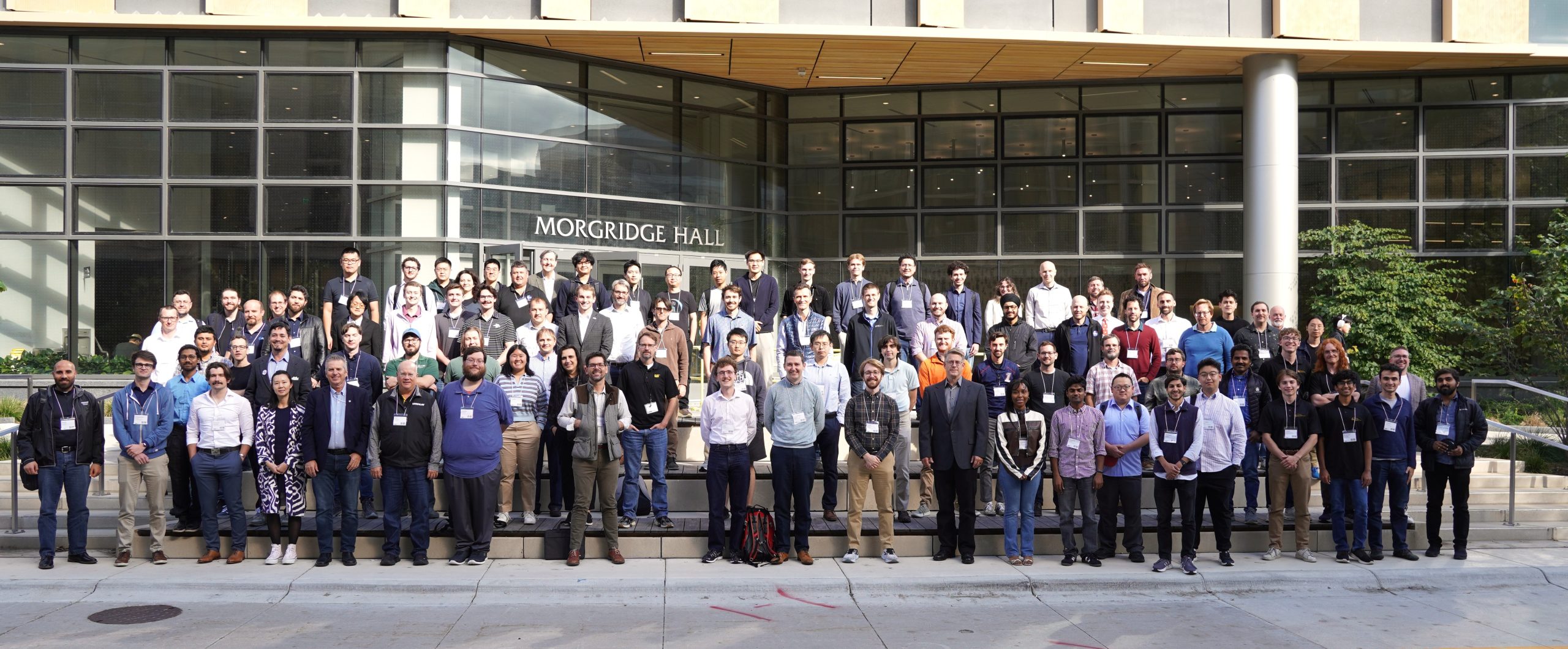
MaGIC 2026 is a three-day event bringing together researchers and practitioners from industry, academia, and national labs to share advances in modeling, simulation, and machine-ground interaction.
Date: September 22–24, 2026.
Location: DeLuca Forum, Discovery Building, University of Wisconsin-Madison — 330 N Orchard St, Madison, WI 53715.
Organizers: Dan Negrut and Radu Serban, University of Wisconsin-Madison.
Event Sponsors: National Science Foundation & Wisconsin Alumni Research Foundation (WARF).
Registration Link: https://charge.wisc.edu/GraingerInstitute/magic. Inquiries: contact us here.
Registration Fee: $150 for industry participants; free for academia, state or federal employees, and consortium members.
Registration Cutoff Date: Monday, September 14, 2026.
At its 14th edition, the 2026 MaGIC meeting emphasizes modeling and simulation in fields such as terramechanics, mechatronics, bio-robotics, geomechanics, and embodied AI. The event is focused equally on terrestrial and extraterrestrial applications. This is an informal gathering that seeks to bring together individuals from industry, academia, and research labs in a collaborative “let’s learn from each other” environment. The goal is to facilitate technology transfer and promote cross-pollination between industry and academia within a pre-competitive setting.
Overview of the program:
Training: Tuesday, September 22, 2026 (PyChrono tutorials).
Invited Talks: Wednesday, September 23, 2026 (morning and afternoon).
Poster Session: Wednesday, September 23, 2026, early evening; open to all participants.
Invited Talks: Thursday, September 24, 2026 (morning and afternoon).
NOTE-1: All event participants are invited to present at the Poster Session on September 23. To participate, simply select the “I will have a poster” option during registration. If you wish, the MaGIC meeting organizers will print your poster free of charge, thanks to support from the Wisconsin Alumni Research Foundation (WARF). This will eliminate the need to print at your end and transport the poster to Madison.
NOTE-2: This event is free for participants from (1) state or federal institutions, (2) companies that are members of the Machine-Ground Interaction Consortium, and (3) academia. Otherwise, the registration is $150/person. Contact Dan Negrut at negrut@wisc.edu if you are a participant from a small company who can’t afford the registration fee.
Wednesday, September 23, 2026
| Time | Session | Affiliation | Observations |
| 08:30-08:40 | Dan Negrut | UW-Madison | Welcome and overview of the day |
| 08:40-09:05 | Todd Letcher | South Dakota State University | Digital twin DEM models with experimental verifications for lunar technology |
| 09:05-09:30 | Yasemin Özkan-Aydın | University of Notre Dame | Bioinspired Robotic Systems for Extreme Environments |
| 09:30-10:15 | Tim Crain (keynote) | Intuitive Machines | Extraterrestrial exploration |
| 10:15-10:40 | Coffee Break | Cookies | Coffee, refreshments, networking |
| 10:40-11:05 | Ludovic Righetti | New York University | World models for reinforcement learning and planning in robotics |
| 11:05-11:30 | Aaron Johnson | Carnegie Mellon University | Bipedal locomotion |
| 11:30-11:55 | Nick Gravish | UC San Diego | Robotics, bio-robotics, bio-mimetic robotics |
| 11:55-12:05 | Leah Haman | WARF | Intellectual property |
| 12:05-13:35 | Lunch Break | BYOF | Please order ahead for delivery or pick up |
| 13:35-14:00 | Brian Post | Oak Ridge National Lab | Additive manufacturing |
| 14:00-14:25 | Milad Rakhsha | NVIDIA | Robot learning, differentiable physics simulation, accelerated physics simulation |
| 14:25-15:10 | Danny Kaufman (keynote) | Adobe Research | Modeling and simulation, friction and contact |
| 15:10-15:45 | Photoshoot, then Coffee Break | Group | Group photo at the start, then coffee & networking |
| 15:45-16:10 | Jonathon Smereka | US Army GVSC | Task-Organized Teaming: Augmenting Capability in Low-Cost Autonomous Systems Through Heterogeneity |
| 16:10-16:35 | Bo Zhang | Tesla | Robotics, Optimus |
| 16:35-17:00 | Eli Lancaster | US Army Research Lab | Approaches for development and assessment of multi-agent, heterogeneous autonomous systems technologies |
| 17:00-19:00 | Poster Session | Networking |
Thursday, September 24, 2026
| Time | Session | Affiliation | Observations |
| 08:30-08:40 | Dan Negrut | UW-Madison | Welcome and overview of the day |
| 08:40-09:05 | Michael Lawson | National Laboratory of the Rockies | Multi-fidelity Modeling of Offshore Energy Systems |
| 09:05-09:50 | Ken Kamrin (keynote) | UC Berkeley | Granular dynamics, scaling laws |
| 09:50-10:15 | Coffee Break | Cookies | Coffee, refreshments, networking |
| 10:15-10:40 | Rob Mueller | NASA KSC | Lunar ISRU |
| 10:40-11:05 | James Hambleton | Cambridge, U.K. | Geotechnics, robotics |
| 11:05-11:30 | Coffee Break | Cookies | Coffee, refreshments, networking |
| 11:30-11:55 | Baxi Chong | Penn State University | Scaling of locomotion: robots and animals in transitions |
| 11:55-12:20 | Alex Pletta | Honeybee Robotics (Blue Origin) | Advanced Lunar Mobility: Design, Simulation, and Deployment |
| 12:20-13:25 | Lunch Break | BYOF | Please order ahead for delivery or pick up |
| 13:25-13:50 | Santo Padula | NASA Glenn | Shape Memory Alloy (SMA) Tires: A new paradigm for the Rovers of the future |
| 13:50-14:10 | Paria Naghipourghezeljeh | NASA Glenn | Computational physics, non-pneumatic tires |
| 14:10-14:30 | Cory Foreman | NASA JSC | Digital lunar exploration sites |
| 14:30-14:55 | Jeremy Coulson | UW-Madison | Data-driven control |
| 14:55-15:20 | David Vieira | U. Haute Alsace (France) | Terramechanics, Ag applications |
| 15:20-15:45 | Coffee Break | Cookies | Coffee, refreshments, networking |
| 15:45-16:10 | James Pikul | UW-Madison | Energy storage, robotics, multifunctional materials, and manufacturing |
| 16:10-16:35 | Salman Husain | National Laboratory of the Rockies | Water-power R&D at the National Renewable Energy Laboratory |
| 16:35-17:00 | Tony McDonald | UW-Madison | Human Factors, Trust in automation, Situation Awareness, Remote operation |
| 17:00-17:15 | Dan Negrut | UW-Madison | Wrap-up; participant feedback collection |
MaGIC 2026, September 22, 2026: Tutorials Highlighting the Use of Project Chrono
Some tutorials include a hands-on component in which participants can run the demos along with the presenter; others instead give a detailed, step-by-step walk-through of the elements that come into play in the case studies, without a hands-on component. For the hands-on sessions, participants are expected to have PyChrono installed on their laptops beforehand; see the “Installing PyChrono” section at the end of this page.
Tutorial list
- Using Chrono and Reduced-Order Models for Reinforcement Learning – Harry Zhang (UW-Madison)
- Multi-Agent Simulation Using SynChrono: Keshav Pachipala (UW-Madison)
- Chrono Multi-Agent Simulation in Construction: A Case Study – Keshav Pachipala and Harry Zhang (UW-Madison)
- Terramechanics Simulation Support in Chrono: SCM, CRM, and DEM – Khailanii Slaton (UW-Madison)
- Running Chrono at Scale via Chrono-Ray Integration – Khailanii Slaton (UW-Madison)
- Camera Sensor Models in Chrono – Bo-Hsun Chen (UW-Madison)
- LiDAR, IMU, Radar, GPS, and Encoder Simulation in Chrono – Patrick Chen (UW-Madison)
- ROS 2 Support in Chrono – Patrick Chen (UW-Madison)
- FMI-FMU Support in Chrono: Ahmed Ansari (UW-Madison)
- Chrono Support for Human-in-the-Loop Simulation – Kyle Sha (UW-Madison)
- Chrono + Trick + JEOD Integration – Bret Witt (UW-Madison)
- Hardware-in-the-Loop for Marine Energy Harvesting: A Chrono Case Study – Salman Husain (DOE, National Lab of the Rockies)
- An Overview of wautosim: A Programmable, GUI-Based ROS 2 Chrono Co-Simulator for Autonomous Vehicles: Patrick Chen (UW-Madison)
- Agentic AI for Chrono-Based World Simulation – Dan Negrut (UW-Madison)
Tutorials details
- Using Chrono and Reduced-Order Models for Reinforcement Learning: This session shows how to pair full-fidelity Chrono simulations with learned reduced-order models so that reinforcement-learning policies can be trained at a fraction of the usual computational cost. The high-fidelity simulator provides ground-truth data, while the reduced-order surrogate stands in during the many rollouts that training demands. Attendees will see where this trade-off pays off and where the surrogate’s approximations begin to matter.
- Multi-Agent Simulation Using SynChrono: An introduction to SynChrono, the framework that lets many independent Chrono agents run concurrently across processes or machines while keeping their states synchronized through message passing. Each agent, for example a vehicle or a robot, carries its own dynamics, sensors, and control logic and exchanges just enough information to stay consistent with the others. The session covers the underlying architecture and how to set up a multi-agent scenario.
- Chrono Multi-Agent Simulation in Construction: A Case Study: A worked example applying multi-agent Chrono simulation to a construction-site scenario in which several machines interact on shared terrain. It walks through how the agents are defined, how they coordinate, and how the combined scene is simulated. The case study highlights the practical challenges of scaling from a single machine to a coordinated fleet.
- Terramechanics Simulation Support in Chrono: SCM, CRM, and DEM: A comparative tour of Chrono’s three terrain-modeling approaches, the empirical Soil Contact Model (SCM), the continuum-based CRM, and particle-level DEM. Each strikes a different balance between physical fidelity and computational cost, from fast semi-empirical contact to fully resolved granular dynamics. The session gives guidance on which model fits which class of problem.
- Running Chrono at Scale via Chrono-Ray Integration: This session covers using the Ray distributed-computing framework to launch and manage large batches of Chrono runs across a cluster. Typical uses include parameter sweeps, design-of-experiments studies, and large-scale reinforcement-learning data collection. Attendees will see how to distribute work and gather results without hand-managing individual jobs.
- Camera Sensor Models in Chrono: A look at Chrono::Sensor’s GPU ray-traced camera models and the lens, noise, and dynamic effects that make synthetic imagery realistic enough for perception development. The session explains how the rendering pipeline produces sensor-accurate images rather than simple screenshots. It also covers the range of camera behaviors that can be modeled and their intended use cases.
- LiDAR, IMU, Radar, GPS, and Encoder Simulation in Chrono: This session shows how to simulate the non-camera sensor suite in Chrono::Sensor to support perception, localization, and state-estimation pipelines. Each sensor model reproduces the characteristic outputs and noise of its real counterpart. Attendees will learn how to attach these sensors to a simulated vehicle or robot and consume their data.
- ROS 2 Support in Chrono: An introduction to the Chrono::ROS bridge, which publishes simulation state and sensor data over ROS 2 topics and subscribes to control commands. This lets a Chrono simulation stand in for real hardware during software-in-the-loop development with standard robotics tooling. The session walks through connecting a Chrono scene to a ROS 2 stack.
- FMI-FMU Support in Chrono: An overview of Chrono’s Functional Mock-up Interface support, which lets models be exported and imported as FMUs. Packaged this way, a Chrono model can be co-simulated with other tools such as MATLAB/Simulink, and external subsystems can likewise be pulled into Chrono. The session shows how to build and exchange FMUs in practice.
- Chrono Support for Human-in-the-Loop Simulation: This session covers running Chrono in real time with a human operator providing live control input. Applications include driving simulators and other interactive scenarios where a person’s responses drive the dynamics. Attendees will see how to keep the simulation real-time and how to feed operator input into the model.
- Chrono + Trick + JEOD Integration: A demonstration of coupling Chrono with NASA’s Trick simulation environment and the JEOD orbital-dynamics package. The combination brings Chrono’s multi-body dynamics together with established aerospace tooling for space-vehicle and spacecraft simulation. The session shows how the pieces are connected and data is exchanged across them.
- Hardware-in-the-Loop for Marine Energy Harvesting: A Chrono Case Study: A case study coupling physical hardware with a Chrono model of a marine (wave) energy converter in a hardware-in-the-loop setup. The simulated device and the real hardware run together in closed loop, letting control strategies be tested before deployment at sea. The session reports on the setup and lessons learned.
- Agentic AI and Chrono Simulation: An exploration of using LLM-based agents to author, configure, and drive Chrono virtual experiments with minimal manual scripting. The goal is to let a user describe an experiment in natural language and have the agent produce and run the corresponding simulation. The session discusses what works today and where human oversight remains essential.
- An Overview of wautosim: A Programmable, GUI-Based ROS 2 Chrono Co-Simulator for Autonomous Vehicles: An overview of wautosim, a graphical yet scriptable ROS 2 co-simulation tool built on Chrono for developing and testing autonomous-vehicle software stacks. It combines a point-and-click interface for assembling scenarios with a programmable back end for repeatable, automated runs. The session demonstrates building and running an autonomous-vehicle experiment end to end.
Installing PyChrono
PyChrono is distributed as a conda package, so conda is by far the simplest way to install it. The steps below assume no prior PyChrono setup.
- Install a conda distribution if you do not already have one. Miniforge, Miniconda, and Anaconda all work.
- Create and activate a dedicated environment (keeps PyChrono isolated from your other Python setups):
conda create -n chrono python=3.12
conda activate chrono
- Install PyChrono:
conda install projectchrono::pychrono -c conda-forge
- Check the install: start Python in that environment and run
import pychrono. If it imports with no error, you are ready.
Supported platforms, and prerequisites
The PyChrono conda packages are built for:
- Windows, 64-bit (win-64).
- Linux, both 64-bit x86 (linux-64) and ARM64 (linux-aarch64).
- macOS on Apple Silicon (osx-arm64), that is, M1/M2/M3 and newer Macs.
There is currently no Intel-Mac (osx-64) conda build, so participants on older Intel MacBooks would need either a Windows or Linux machine or a build of Chrono from C++ source. Note also that the conda PyChrono package does not include the cascade, vsg3d, and ROS modules; those require a build from source but are not needed for the hands-on tutorials.
Tutorials that involve ROS can be followed on any computer with Docker Engine installed. A pre-built Docker image will be provided, so no local compilation is required. Supported Docker environments are:
- Linux (amd64).
- Windows via WSL2.
- macOS via Docker Desktop.
In addition, the Chrono::Sensor demo requires a machine with a dedicated GPU (NVIDIA or AMD).